
Having reviewed several smartwatches over the past few years, I was a bit anxious to try out the Oura Ring 4 after attending its launch event in Mumbai. I’m not a fitness freak, but I definitely need a bit of a push to get up, get out and get going. As a dad to a 6-year-old, I take sleep tracking seriously. Given my busy schedule, smartwatches are a bit of a distraction. Since I don’t work out often, a fitness-oriented watch is a bit of overkill, while something like a ring that’s always on and out of my way seems like a fantastic way to track my health. After using it for several weeks, the Oura Ring 4, despite being a bit dated (globally launched in October 2024), managed to surprise me. Read on to know why.
Oura Ring 4 Design and Specifications: Life-Proof!
- Case material – PVD-coated non-allergenic titanium
- Durability – Water resistant up to 100m / 328 ft
- Weight – 3.3 to 5.2g (depending on ring size)
- Width, thickness – 7.90mm, 2.88mm
The Oura Ring 4 has a clean and simple design that appears as chunky as competing smart rings. You cannot mistake it for a regular ring solely because of how thick it is. Wear it on the wrong finger (middle or ring finger) and get ready for a painful pinch if someone gives you a firm handshake, as the thick ring will press against your other fingers.
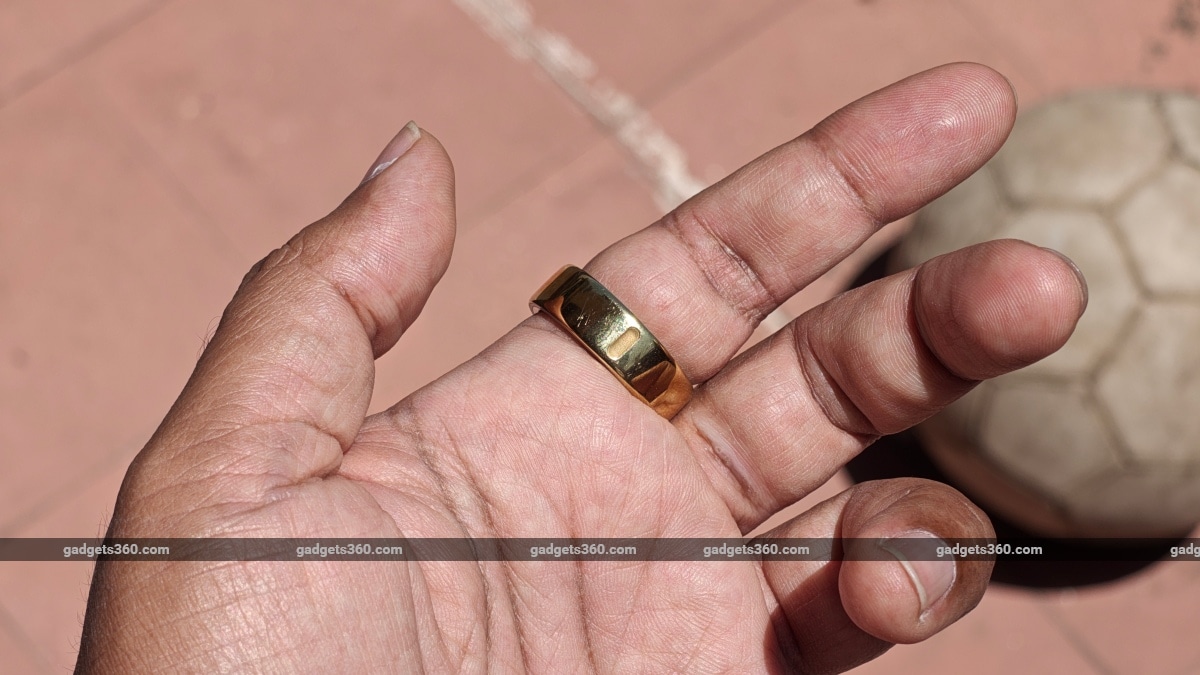
The Oura Ring 4 works best on your index finger with the notch facing your palm
Oura recommends wearing its smart ring on your index finger (with the notch facing your palm), claiming it offers the best sensing experience. Unlike a regular smartwatch or a smart band, you cannot readjust a ring’s diameter for comfort depending on your activity.
And this is why I would strongly recommend trying out several rings from the sizing kit for a week before you lock down on your size and order your ring. Muscles expand and contract depending on your activity and hydration levels. So, it’s best to take your time, try a few sizes, and wear it for all your activities (swimming, gym, workouts) before you select the final one.
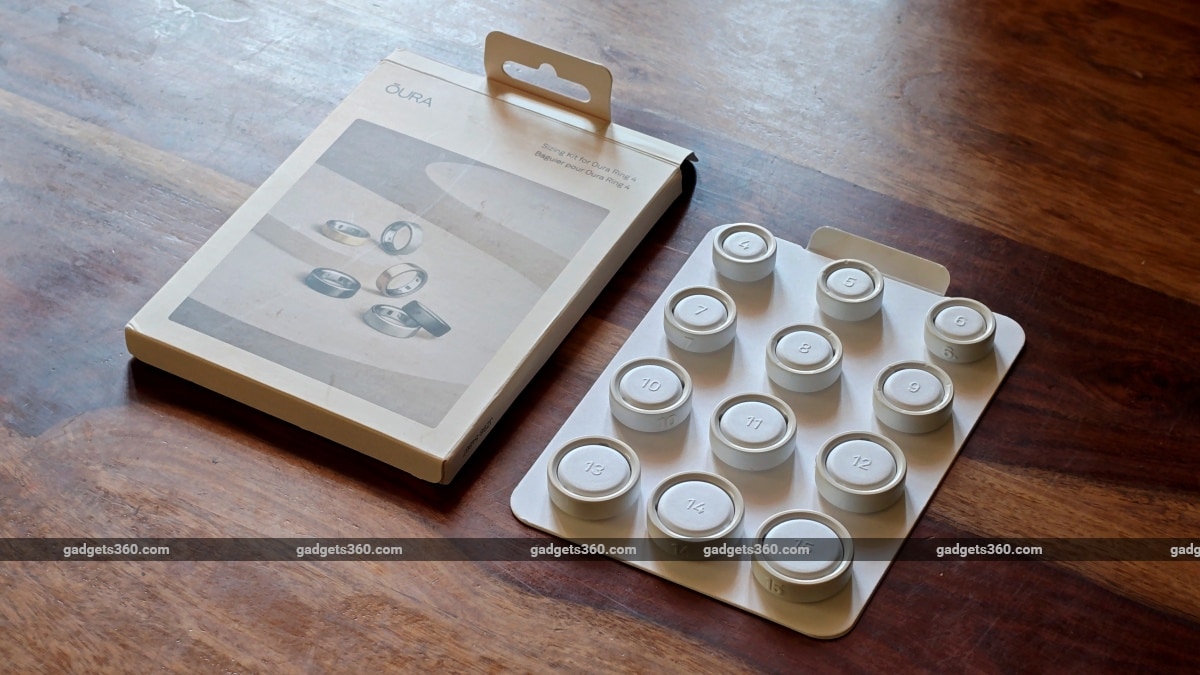
Oura Ring sizing kit helps you find the perfect fit
Another reason why sizing is vital to the Oura Ring experience is tracking, or as Oura calls it, “sensing”. With the Oura Ring 4, the company removed the internal sensor bumps that held the ring in place on your finger for accurate tracking. Given that I haven’t tried out the Ring 3, I’m not sure why Oura did this, but I’m guessing it had something to do with everyday comfort. Since the Oura Ring 4’s design lacks these sensor domes or bumps on the inside, it does not remain in place if your fit is slightly loose or not tight enough.
At the same time, your finger muscles will expand and contract, while your hands come in contact with soap, cream, sweat and water, all of which are enough to make the ring slip and rotate on your finger. This changes the position and alignment of the sensors inside your ring. There have been several instances when I have woken up with the ring’s notch on the outside of my hand after wearing it on the wrong finger. And since the sensors aren’t aligned properly, the ring cannot get accurate readings. This results in data gaps (missing points) in your heart rate and heart rate variability (HRV) data.
Apart from looking pretty low-key and basic, Oura has made its Ring 4 available in several finishes in India. There’s a glossy Black and Silver priced at Rs. 28,900, while the Gold, Stealth Black, Rose Gold and Brushed Silver are priced at Rs. 39,900.
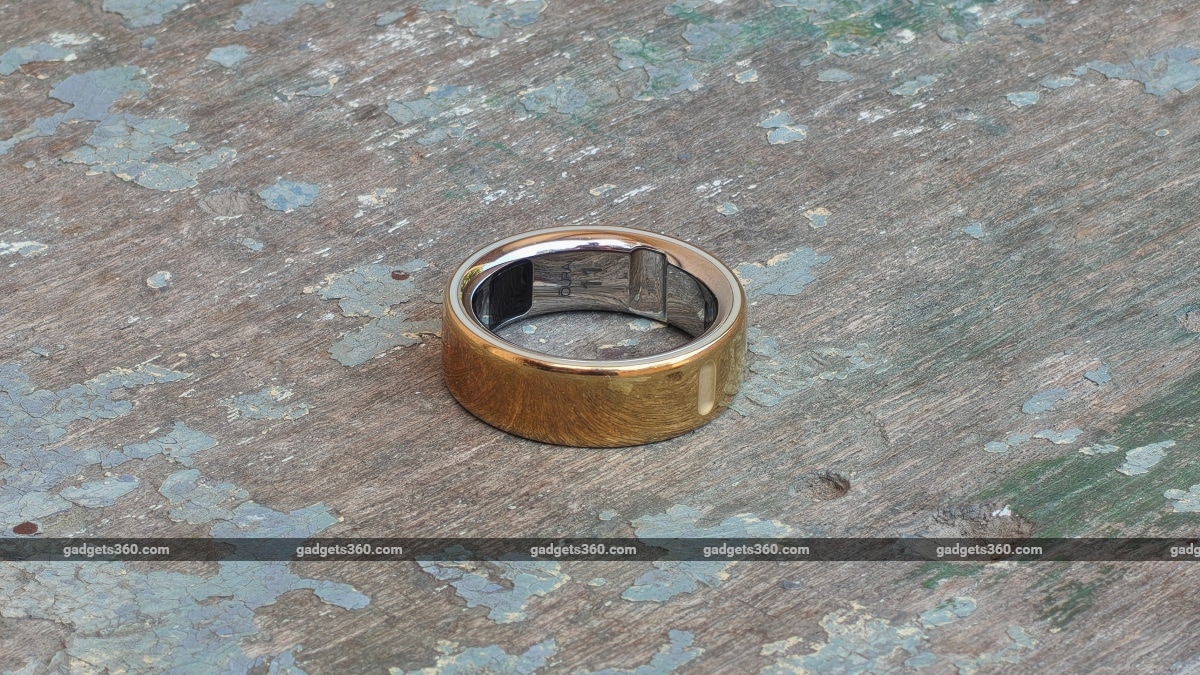
The PVD coating on the Gold ring can get tarnished if exposed to salt water
The Gold ring I received for review has a non-allergenic titanium case with a Physical Vapor Deposition (PVD) coating on the outer surface. During the review period, I took the ring to places where I would not wear a smartwatch. A bathtub continuously immersed in hot water, exposed to detergents while washing dishes or handling clothes, immersed in salty sea water for extended periods and plenty more. Apart from a few minor abrasive scratches from door handles and other rough surfaces on the inside, the coating has remained intact. It’s just that the salty seawater and the hot sun during a recent holiday have slightly tarnished its gold colour on the outside. The inner titanium finish remains as flawless as the day I received it.
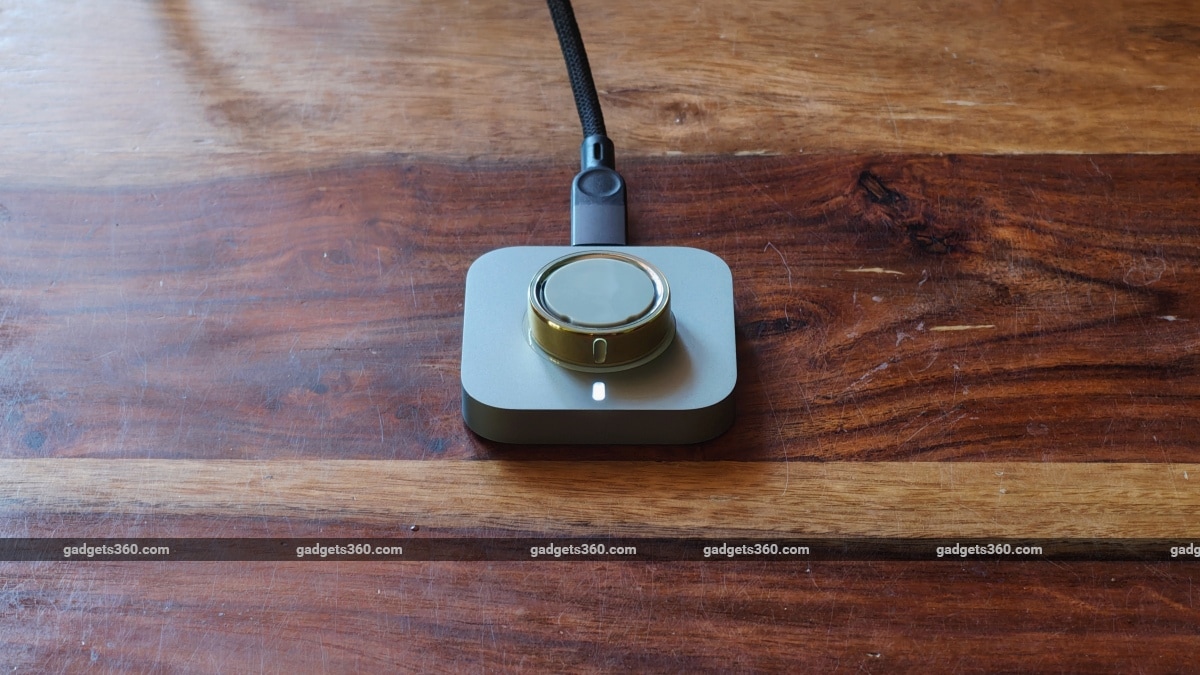
The charging dock needs to be placed on a horizontal surface for charging
The charging dock is compact and has a USB-C port that can plug into your charging adaptor or laptop. Its minimal design makes it appear like a stamp or a paperweight. When placing the ring for charging on the plastic socket, the notch on the outer side of the ring needs to be aligned with the LED indicator on the dock. There are no magnets to hold the ring in place, so you cannot hang the charger from the cable and must keep it on a horizontal surface only, as the ring would simply slide off and fall.
The Oura Ring 4 has a bunch of sensors that help it track everyday activities and fitness. There are red and infrared LEDs to measure blood oxygen levels, green and infrared LEDs alternate to measure heart rate HRV, and respiration rate, a digital sensor for temperature and finally an accelerometer for movement.
Oura Ring 4 Software and Companion App: Well-Designed but Not Perfect
- Companion app platforms – Android, iOS
The app for the Oura Ring 4 (and older models) is simply called ‘Oura’. It has a clean, clutter-free interface that is smartly designed to feed you minimal information at a time. If you need more information, simply tap on that chip, and you can then get in-depth data on the same topic. But this also means the information is laid out in multiple layers, which can feel a bit overwhelming at first.
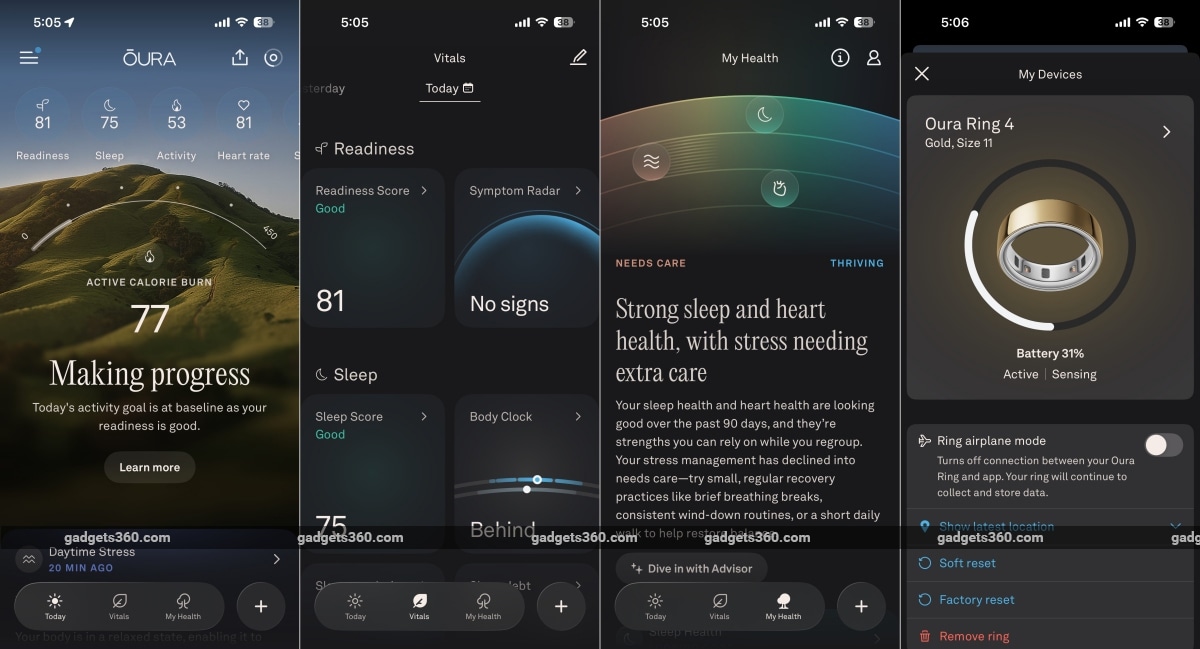
The Oura app on iOS has three main sections
The setup process is hassle-free and easy. You place the ring on the charging dock, and the app will guide you through the setup process. The app also connects to Google Health Connect or Apple Health, so you can take away or share data between software ecosystems and other apps. There is no long list of permissions to grant, unlike with some semi-smart or smartwatches. What I also liked about the Oura app is the convenient and easy-to-understand Timeline layout, which includes all your activities in a simple and easy-to-understand (and editable) timeline.
While I liked the app overall, it never syncs data in the background, even though it will ask you to grant background permissions. I understand that this is difficult to pull off on iOS, but Android does allow it. And so, the only time it syncs data is when you launch the app. Keeping it open in the background also does not help. And this also means that there’s no real-time health and fitness tracking data available in the app. The data is collected passively and syncs when the app is opened. Apart from heart rate readings, there is no real-time view of the data being gathered. So, those who peek at their fitness data during runs or workouts at the gym will not find the Oura Ring an appropriate choice.
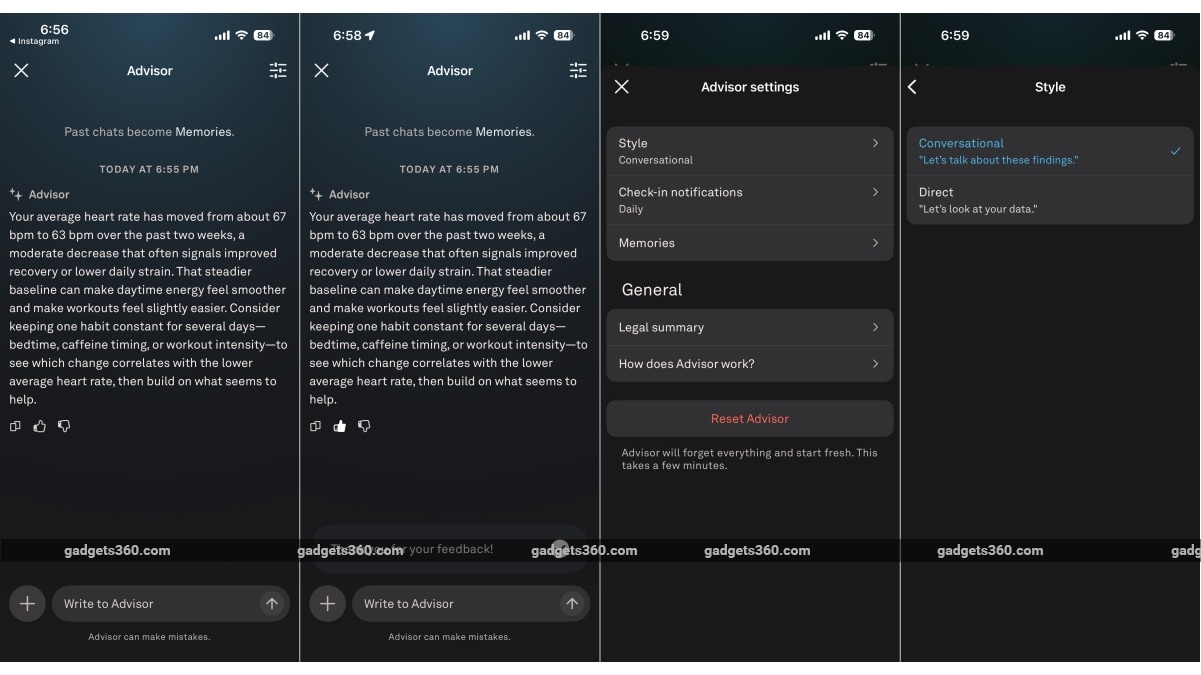
The Oura app’s AI Advisor chatbot is quite helpful
Artificial Intelligence also makes its way into the Oura app as an ‘Advisor’ chatbot. Past chats are recorded as ‘Memories’. Like a good friend or a friendly doctor, it will advise you about certain changes your body is going through. At times, this can be as simple as your average heart rate shifting from 67 bpm to 63 bpm. Since this is an AI chatbot, you can have a conversation about how to improve things or ask questions about specific topics in the app itself, which is convenient and keeps your health data and queries within the app. The ‘Advisor’ feature also offers two communication styles: a “conversational” assistant or a more “direct” approach to providing guidance about your health.
Oura Ring 4 Performance: Accurate Sleep Tracking
The elephant in the room is the Automatic Activity Detection (AAD), which will then need you to sit and review the day’s activities. If you are as busy as I am, it does get overwhelming to open the app at the end of the day (or even the next day) and go through a long list of activity prompts/cards (some of which may not be auto-tagged). You have to keep in mind that a fitness activity is only added to your daily ‘Activity Score’ after you confirm the activity card within the app.
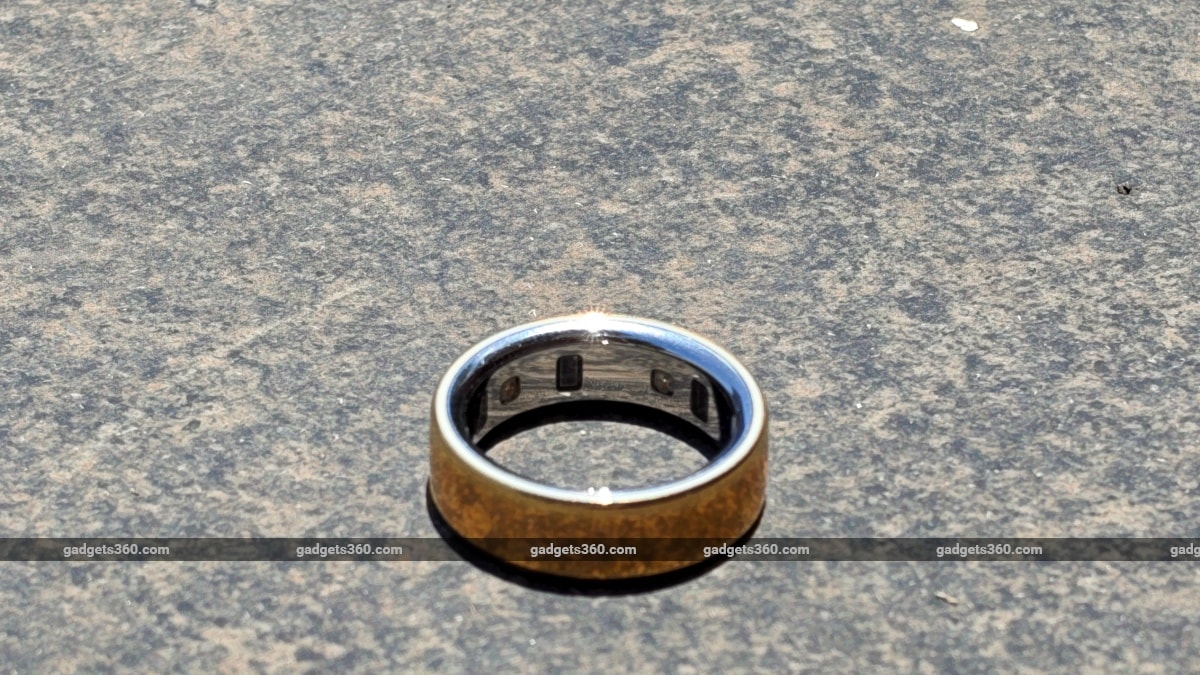
The Oura Ring 4 has a bunch of sensors that help it track everyday activities and fitness
This is fine when you regularly track and confirm your walk or workout activity as soon as it’s complete to check your numbers. However, when on vacation, most of us will not be bothered to jump into the app every night to dismiss or confirm activities. So, over time, these in-app prompts or activity cards (only visible inside the app) will pile up. And when you do check the app, be prepared to dismiss and confirm a few days’ worth of activities in one stretch. In the Android app, confirming activities can be annoying and frustrating because the ‘Confirm’ button sometimes doesn’t work, especially when you have a pile of activities to sift through.
If you missed wearing your ring or performed an activity under 10 minutes (does not register), you can add the activity manually by tapping the ‘+’ button on the Today tab. Similarly, you can manually start a workout using the ‘Record workout HR’ option in the ‘+’ button on the Today tab, and Oura will then show calorie burn and heart rate after the activity is completed.
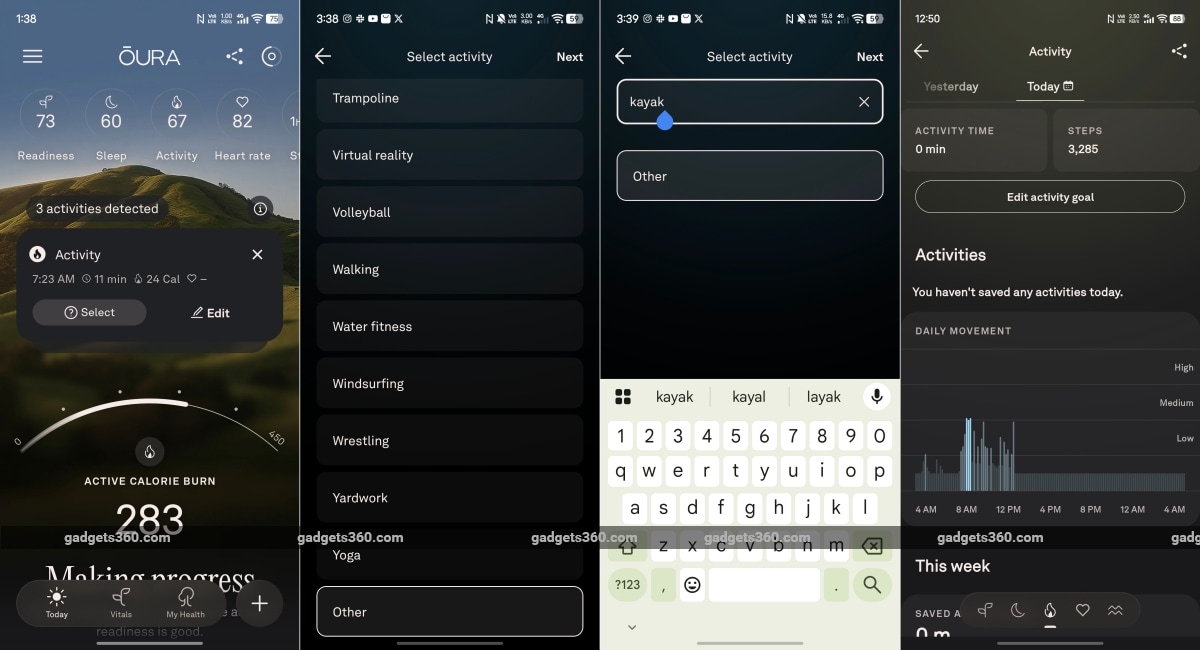
It is possible to add custom activities
Indeed, fitness activities do get tracked automatically, but Oura recommends opening the app and keeping it open before you start your gym workout or outdoor activity. I tested this out while going on a long, brisk walk (about 5 km), and the app did not record any GPS data for the activity because it was not launched. Opening the app and then locking my phone saw favourable results, with the GPS and fitness data showing as intended. Another detail to keep in mind is that opening the app and minimising it (on iOS) also disables GPS tracking. So, even though you have opened, minimised, and reopened the app once again, the GPS cuts off and will not be saved.
The Oura Ring 4 is expected to excel at passive health tracking. There is an interesting Symptoms Radar feature that was able to pick up signs of strain. But these weren’t exactly accurate. There was a time when I had flu-like symptoms for a good part of the week, but the feature indicated absolutely nothing. But there were also instances that indicated that something was not right. So, in my case, I did not find the feature useful. The Daytime Stress readings were accurate for the most part, which is why I found it strange that the Symptoms Radar feature could not deduce anything from the same data. Heart Rate measurements were accurate compared with a standalone pulse oximeter. Step counts were also quite accurate.
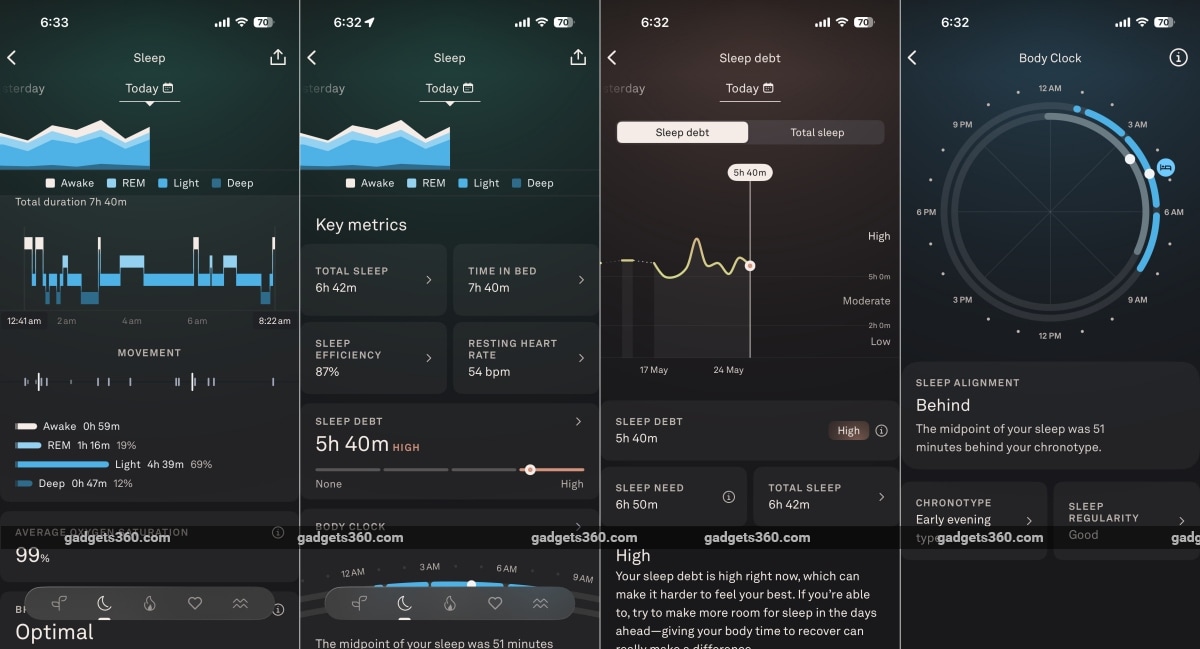
Sleep tracking with the Oura Ring 4 is both detailed and insightful
What impressed me the most was the sleep data, which is where Oura is supposed to be the “industry expert”. The Oura Ring and app can track both sleep data at night and even daytime naps. Oura’s algorithms detected exactly when I fell asleep, even though I lay motionless in bed doing absolutely nothing, with thoughts running through my head, before I fell asleep. Oura’s sleep data measures the usual indicators (REM sleep, deep sleep, SpO2, etc.) and adds factors like Efficiency, Restfulness, Latency, Body Clock (chronotype), and Sleep Debt. For a parent who has forgotten the meaning of a good night’s sleep, I loved deep-diving into these details to help improve my sleep patterns.
For women, the Oura Ring 4, apart from the usual menstrual cycle tracking, can also function as an FDA-approved birth control app by keeping track of body temperature and looking for fertility indicators that can actually help prevent or plan pregnancies naturally. It’s no wonder that a majority (55 percent) of Oura’s customers worldwide are women.
Possibly the biggest catch of the Oura Ring 4 is that it requires a subscription (Oura Membership) to make the best use of its sensor data. Buying a Ring 4 in India will get you a complimentary month-long free subscription, but it will cost you Rs. 599 per month or Rs. 6,999 annually. Indeed, this could be a deal breaker for those who don’t like paying for subscriptions. Now, Oura does claim that you can still use the Ring 4 and view the data it senses in the app, but a subscription is required to access the insights Oura can provide from that data. Additionally, something as basic as 24/7 heart rate data is locked behind a subscription, so the Oura Membership is unavoidable.
Oura Ring 4 Review Battery: Smart Savings
- Battery capacity – 15-22mAh (depending on size), Li-po
- Charging dock – Yes
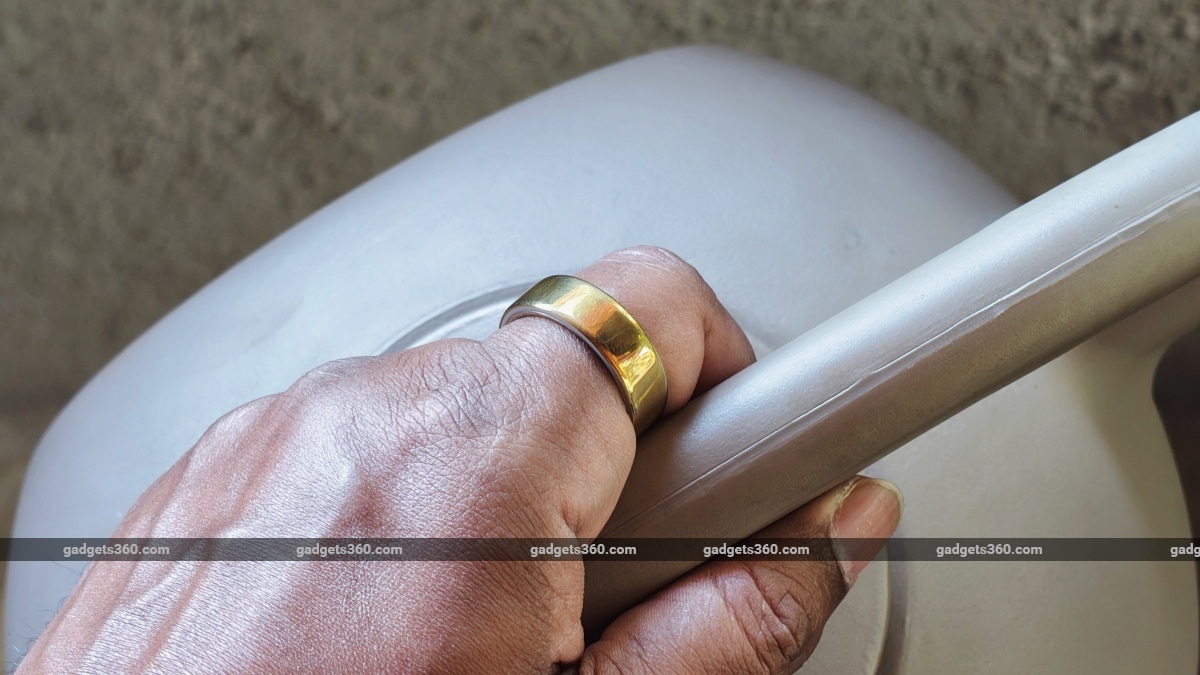
The Oura Ring 4 can easily last a week with all its health tracking features on
Given that the Oura Ring 4 communicates with the Oura app (via Bluetooth LE) on smartphones only when the app is launched, it can comfortably remain operational for about a week despite its tiny battery. Since there aren’t any toggles (or choices) for health/activity tracking, the only variable here is the number of activities you perform in a day, which will affect your ring’s battery life. In my case, I easily managed a whole week of use on a full charge.
Charging the Oura Ring’s tiny battery does take a while. Using a 100W PD charger at one end, I managed to charge it to 55 percent in 30 minutes and 81 percent in an hour. The ring reached a fully charged state in 1 hour and 33 minutes.
Oura Ring 4 Verdict
Indeed, the Oura Ring 4 is great for parents! It is non-intrusive and will not get in the way of your parenting. For the rest, the Oura Ring 4 takes a simple, cautious approach to health monitoring and puts it all in an easy-to-understand format, functioning less like a strict fitness coach and more like a friend you can reach out to for advice. But despite coming to this conclusion, it isn’t perfect.
The app, as minimalist and beautiful as it is, needs to detect activities and prompt/notify the user as soon as they’re completed, rather than requiring the user to open the app and manually confirm an activity via the card, even though this will feel a bit intrusive. The whole tracking experience could have been more seamless if the app simply decided which activity worked best instead of waiting for the user’s input to confirm every single activity.
There are a bunch of smart ring alternatives in the market (Ultrahuman Ring Air, Samsung Galaxy Ring, etc.), and these do not need a membership, which is why Oura’s Ring 4 and its premium pricing stick out like a sore thumb. However, if you are ok with the more lenient approach to passive fitness tracking, the Oura Ring 4 is a really good choice for users of all ages, including the elderly.
Oura Ring 4 Price: Rs. 28,900 onwards
Oura Ring 4 Ratings:
Design: 9
Software: 9
Performance: 8
Battery: 9
Overall: 8
Pros:
- Comfortable design with excellent durability
- Wide variety of finishes
- Easy to use companion app
- Excellent sleep tracking
- AI Advisor is helpful
- Impressive battery life
Cons:
- Requires monthly/yearly subscription
- Activity prompts are hard to track
- Android app is a bit buggy
- Cannot monitor real-time fitness data
- Requires a smartphone for GPS tracking
