
Like any software, there is no one-size-fits-all solution for project management tools. While Smartsheet may have some of the project management software features your team requires, you may find it lacking in other areas, causing you to shoehorn workarounds that slow down productivity and search for a different project management solution. Smartsheet has also stopped offering free sign-ups, making it less financially competitive than others in this guide. All of this might eventually lead you to look for another option in 2026.
In this article, we share the top Smartsheet alternatives and highlight their pros, cons, pricing, and key features. We also share our review methodology and tips on choosing the best Smartsheet alternative.
- Best for managing complex projects: Asana
- Best for team collaboration: Zoho Projects
- Best for small teams and independent workers: ClickUp
- Best for scalability: Wrike
- Best for reporting and analytics: Hive
- Best for ease of use and affordability: nTask
- Best for a centralized project management platform: Basecamp
- Best for customization: Airtable
- Smartsheet
Why you can trust us
I reviewed all major Smartsheet alternatives and competitors in 2026 to identify the top 8 options for this guide. My evaluation considered each product’s pricing, features, usability, and its comparison with Smartsheet, along with my own hands-on experience using project management tools.
Top Smartsheet alternatives comparison
The following table provides a quick overview of how the top Smartsheet alternatives compare in core project management features.
| Software | Multiple project views | Native time tracking | Workflow automation | Starting price (billed annually) |
|---|---|---|---|---|
| Asana | Yes | Yes | Yes | $10.99 per user per month |
| Zoho Projects | Yes | Yes | Yes | $4 per user per month |
| ClickUp | Yes | Yes | Yes | $7 per person per month |
| Wrike | Yes | Yes | Yes | $10.00 per user month per month |
| Hive | Yes | Yes | Yes | $5 per user per month |
| nTask | No | No | Yes | $3 per person per month |
| Basecamp | No | Yes | Yes | $15 per user per month |
| Airtable | Yes | Yes | Yes | $20 per person per month |
Asana: Best for managing complex projects

Asana is another project management tool that offers a free version that might be a good fit for smaller teams. The free tier of Asana supports up to 2 users and includes almost all the core functions of the premium tiers.
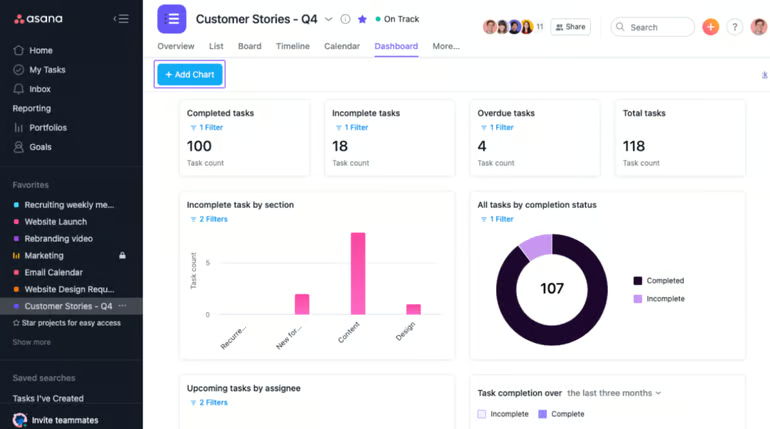
The software has a clean dashboard interface that never feels cluttered or overly busy. Projects can be viewed in list, board, or calendar views. Asana also allows for unlimited projects, tasks, and sub-tasks; each can be assigned to teams or individuals with time tracking via integrations.
For more information, read our full Asana review.
Pricing
- Personal: Free for unlimited tasks, projects, messages, activity logs, and file storage.
- Starter: $10.99 per user per month if billed annually, or $13.49 per user per month if billed monthly.
- Advanced: $24.99 per user per month if billed annually, or $30.49 per user per month if billed monthly.
- Enterprise: Contact Asana for pricing information.
Features
- Flexibility to break up projects into multiple phases or sub-tasks.
- Instantly switch between board, list, and calendar views.
- User-friendly dashboard with an easy learning curve for new users.
- An extensive list of third-party integrations.
Top integrations
- Slack.
- Dropbox.
- Google Drive.
- Microsoft Teams.
- Salesforce.
- OneDrive.
- Zendesk.
Pros
- Multiple project views.
- Agile and scrum support.
- Variety of import options, including importing project data from competitor software.
Cons
- Limited mobile app.
- Default notification settings are overwhelming.
- Time tracking tools are only available in the Advanced and Enterprise plans.
Why we chose Asana
Asana makes it easy to manage complex projects, thanks to its simple interface and robust project management features. It’s free plan supports teams of up to 2 people and includes nearly all the functionality you need to get started with project management.
Zoho Projects: Best for team collaboration

Image: Zoho Projects
Zoho Projects is the project management application from Zoho’s online services suite. This cloud-based software is a top Smartsheet alternative for small and growing businesses. With Zoho Projects, you get a variety of features, including multiple project views, team collaboration tools, time tracking, and workflow automation.
For more information, read our full Zoho Projects review.
Pricing
- Free: Maximum of three projects, up to 5 users.
- Premium: $4 per user per month with annual billing, or $5 per user per month with monthly billing.
- Enterprise: $9 per user per month with annual billing, or $10 per user per month with monthly billing.
- Ultimate $14: $14 per user per month with annual billing, or $15 per month with monthly billing
Features
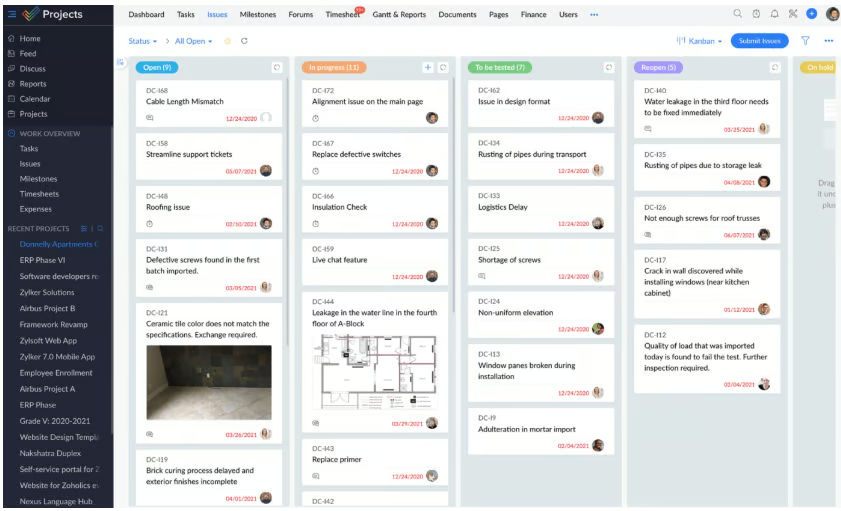
- Zoho Blueprints feature to build custom workflows.
- Deep integration with other Zoho applications.
- Customizable dashboards with a centralized activity feed.
Top integrations
- Zapier.
- Zendesk.
- Microsoft Teams.
- Office 365.
- Slack.
- ServiceNow.
- Dropbox.
- SharePoint.
Pros
- Easy to set up and navigate.
- Strong time tracking tools.
- Transparent pricing, even for the Enterprise plan.
- Plenty of options for team collaboration.
Cons
- Lack of prebuilt templates.
- Limited resource management tools.
Why we chose Zoho Projects
Zoho Projects offers a whole host of team collaboration tools to make it easier to manage projects. It also integrates seamlessly with the rest of the Zoho software stack, making it easy to extend the platform’s capabilities if you want to.
ClickUp: Best for small teams and independent workers

Image: ClickUp
ClickUp is one of the leading small business project management software solutions and is a worthy alternative to Smartsheet. You get a wide range of pricing plans, an impressive set of features, and a user-friendly design. The ease of use makes ClickUp an excellent option for small teams, freelancers, and solopreneurs.
For more information, read our full ClickUp review.
Pricing
- Free Forever: $0; best for personal use.
- Unlimited: $7 per user per month if billed annually, or $10 per user per month if billed monthly.
- Business: $12 per user per month if billed annually, or $19 per user per month if billed monthly.
- Enterprise: Pricing information available upon request.
Features
- Unlimited storage in premium plans.
- Agile project management features, including sprint tools and templates.
- Instant messaging tool.
- Variety of project views, including mind maps.
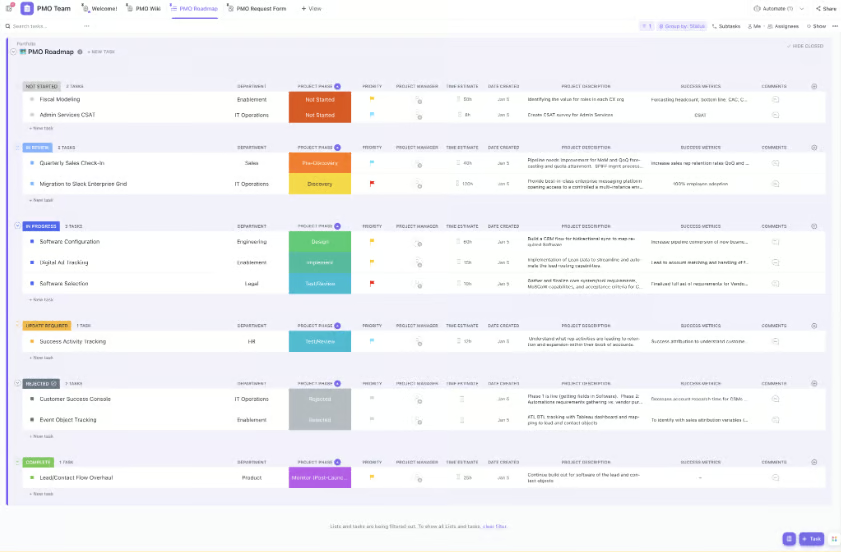
ClickUp’s colorful interface is easy to navigate. Image: ClickUp
Top integrations
- Slack.
- GitHub.
- GitLab.
- Webhooks.
- Google Drive.
- Outlook.
- Microsoft Teams.
- Zoom.
Pros
- Advanced reporting and analytics, including real-time updates.
- Impressive free plan.
- 24/7 customer support on all plans.
Cons
- Limited time tracking.
- Steep learning curve for advanced features.
- Clunky automation builder.
Why we picked ClickUp
ClickUp’s free plan supports unlimited members, making it a great choice for small teams looking for project management software on a budget. Its pricing plans are also affordable, starting at just $7 per person per month, which should be within budget for many solopreneurs.
Wrike: Best for scalability

Image: Wrike
Wrike offers outstanding flexibility with five plans and various customization tools. This software is suitable for small teams and large enterprises, offering advanced features such as resource management. You get a capable desktop version and mobile app, and you can also use it as a web-based SaaS tool. The folder-based interface might not be as user-friendly as some of the other vendors on this list; however, it is clean and organized.
For more information, read our full Wrike review and check out our other recommendations for enterprise project management software.
Pricing
- Free: For one user per month
- Team: $10.00 per user per month, for 2–15 users.
- Business: $25 per user per month, for 5-200 users
- Apex: Contact Wrike for pricing information.
- Pinnacle: Contact Wrike for pricing information.
Features
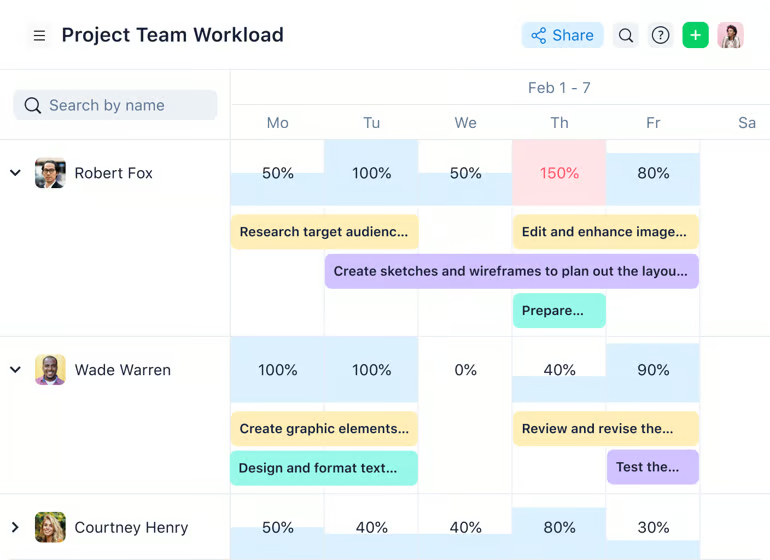
- Advanced reporting and analytics tools.
- Bug and issue tracking features.
- Over 400 integrations with third-party applications.
- Multiple view types, including Gantt charts and Kanban boards.
Top integrations
- Google Drive.
- Zoom.
- Miro.
- Microsoft OneDrive.
- Tableau.
- Slack.
- Dropbox.
Pros
- Extra flexibility with five plans.
- Feature-rich free plan.
- Plenty of in-app learning content.
Cons
- Advanced security features are available only on the Enterprise and Pinnacle plans.
- A folder-based interface can be confusing for some users.
Why we chose Wrike
Wrike offers five pricing plans that are suitable for everyone, from freelancers to small teams to large enterprises, making it a highly scalable option for businesses looking to grow within the same project management tool.
Hive: Best for reporting and analytics

Image: Hive
Hive is a strong Smartsheet alternative that offers managers powerful analytics tools within a more traditional project management interface. It has strong built-in communication tools, such as an instant messaging system and real-time notifications of status changes. The powerful analytics tools within Hive extend to tracking and managing budgets, offering an advanced suite comparable to Smartsheet. Time tracking and resource tracking are both supported with advanced tools from Hive.
For more information, read our full Hive review.
Pricing
- Free: For up to 10 users.
- Starter: $5 per user per month if billed annually, or $7 per user per month if billed monthly.
- Team: $12 per user per month if billed annually, or $18 per user per month if billed monthly.
- Enterprise: Contact Hive for pricing information.
Features
- Strong analytics tools.
- Communication tools make Hive perfect for highly collaborative teams.
- Advanced tools for budget, time and resource management.
- Free access for guests to view all project data.
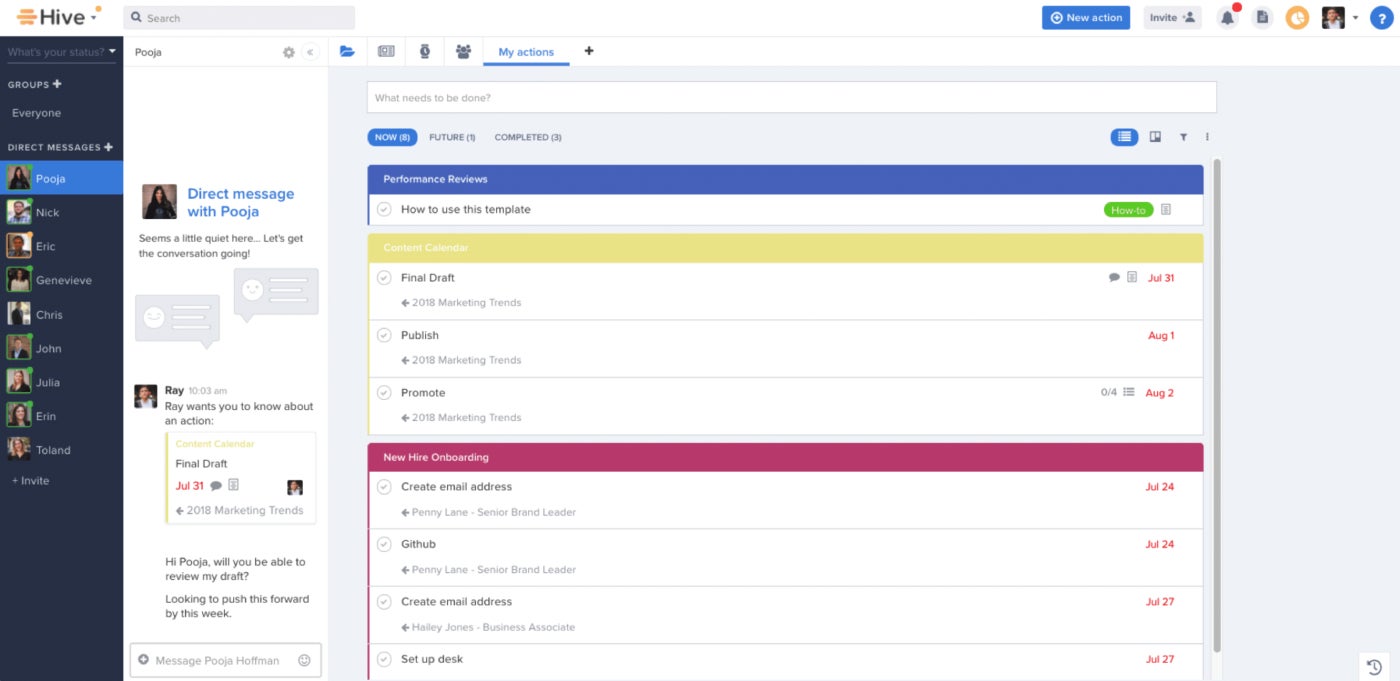
Message your teammates directly within Hive. Image: Hive
Top integrations
- Google Drive.
- OneDrive.
- Microsoft Teams.
- Slack.
- Jira.
- GitHub.
- Box.
- Dropbox.
Pros
- Powerful reporting and analytics.
- Extensive list of third-party applications.
Cons
- Limited mobile app.
- Add-ons cost extra.
- Advanced tools have a steep learning curve.
Why we chose Hive
Hive’s powerful reporting and analytical features are perfect for project management teams that want to dive deep into the data. It also offers advanced features like time tracking, resource management, and budget management for managing complex projects.
nTask: Best for ease of use and affordability

Image: nTask
nTask is one of the more budget-friendly Smartsheet alternatives, with monthly seats starting at only $3. It is heavily focused on facilitating meetings by allowing meeting minutes and other meeting results to be directly integrated into the corresponding projects. This is a great feature for project managers dealing with a high volume of meetings that are getting difficult to manage. The colorful interface is also beginner-friendly.
For more information, see our full nTask review.
Pricing
- Basic: For up to 5 team members.
- Premium: $3 per user per month if billed annually, or $4 per user per month if billed monthly.
- Business: $8 per user per month if billed annually, or $12 per user per month if billed monthly.
- Enterprise: Contact nTask for pricing information.
Features
- Stellar meeting tools that integrate with existing projects.
- One of the lowest per-seat costs of any project management software.
- Time-saving recurring task options.
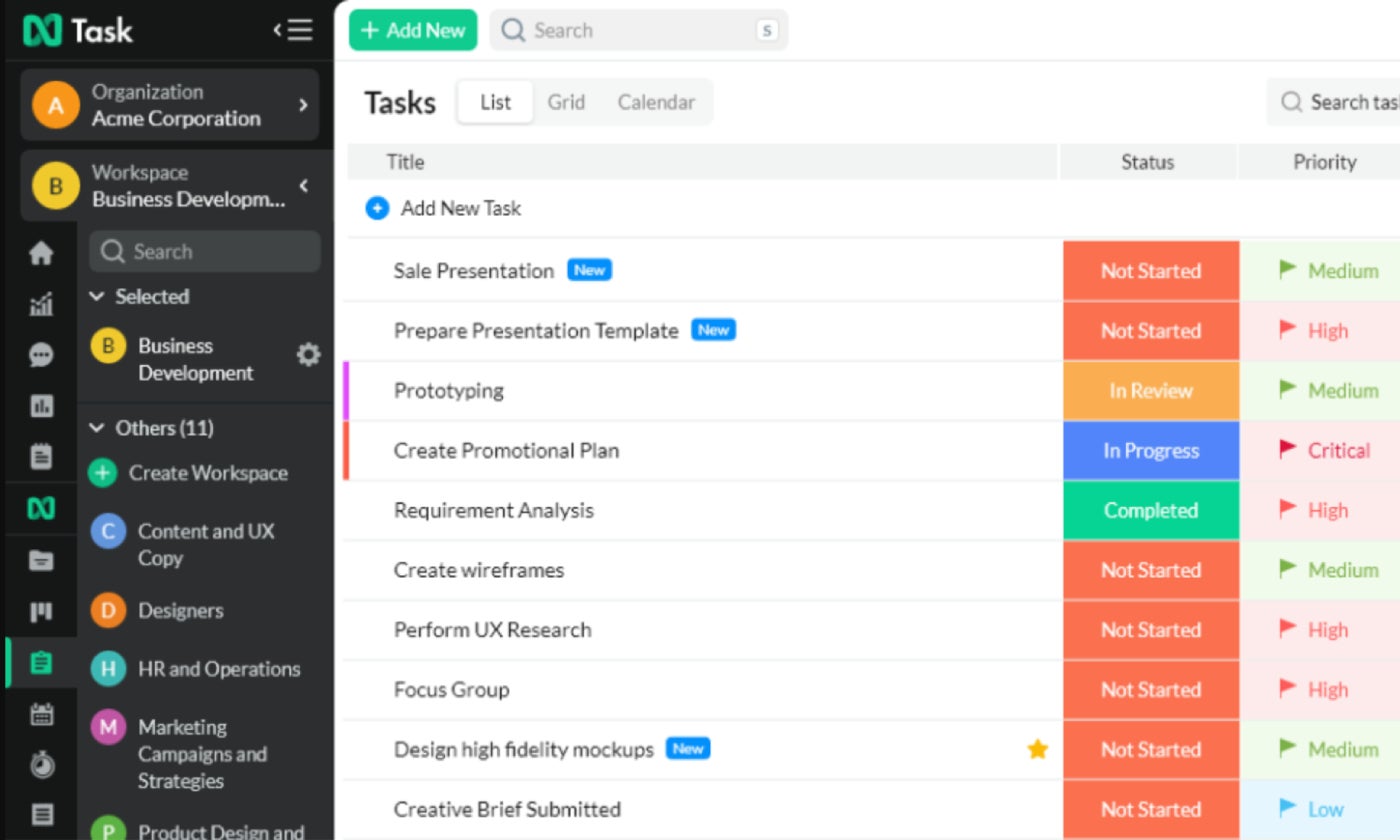
nTask color codes project statuses for easy updates. Image: nTask
Top integrations
- Zoom.
- Microsoft Teams.
- Google Calendar.
- Outlook Calendar.
- Apple Calendar.
- Google Meet.
Pros
- Simple project overviews.
- Robust team collaboration tools.
- Easy-to-use time tracking feature.
Cons
- Limited reporting.
- Free trial is limited to 7 days.
Why we chose nTask
nTask is one of the most affordable Smartsheet alternatives, with paid plans starting at only $3 per person per month. Its simple tools present a low learning curve and are suitable for managing basic projects.
Basecamp: Best for a centralized project management platform

Image: Basecamp
For small or mid-sized teams, Basecamp is an excellent alternative to Smartsheet. While premium levels of Basecamp are available, the free version allows for up to 20 users. Basecamp is marketed as a highly collaborative project management solution, but it’s more of a centralized remote work hub — it lacks features such as various project views, like timelines or Gantt charts. However, Basecamp makes up for these shortcomings with robust collaborative features that include group chat, message boards, and team scheduling.
For more information, read our full Basecamp review.
Pricing
- Free: One project, up to 20 users.
- Pro: $15 per user per month.
- Pro Unlimited: $299 per month if billed annually, or $349 per month if billed monthly.
Features
- Strong communication and chat tools.
- Client access, which can be customized.
- Ability to split tasks, projects and to-dos across teams and individuals.
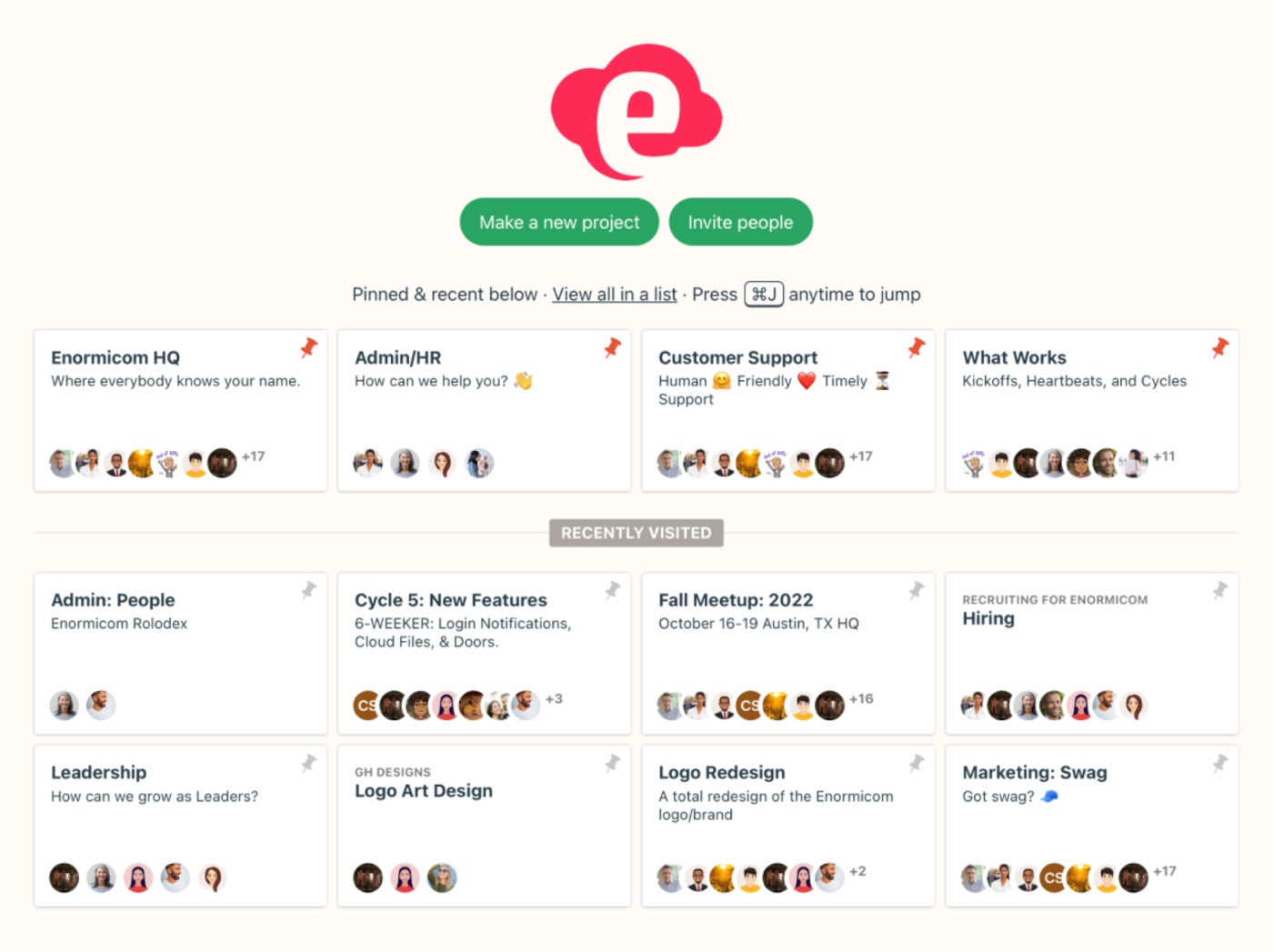
Basecamp centralizes all your projects in a single hub. Image: Basecamp
Top integrations
- Toggl.
- Field Trip.
- Project Buddy.
- Everhour.
- Marker.io.
- Akita.
- SupportBee.
- Zapier.
Pros
- Clean and intuitive user interface.
- All-in-one platform.
- Excellent user reviews for customer support.
Cons
- Lack of project views such as Gantt charts and timelines.
- Limited integrations, especially at the enterprise level.
Why we picked Basecamp
Basecamp’s collaborative features make it a great alternative to Smartsheet for teams looking for a centralized project management hub. Its unique flat-rate pricing plan can also help large and growing teams save money by supporting an unlimited number of users for a single monthly fee.
Airtable: Best for customization

Image: Airtable
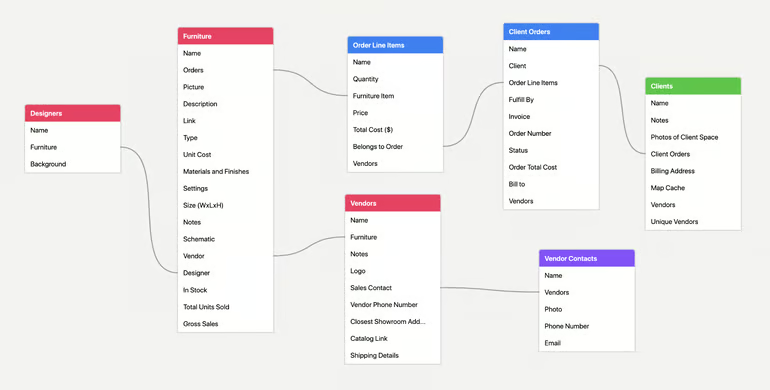
Airtable is a unique project management tool, similar to Smartsheet, that focuses on data. Airtable has a spreadsheet-style interface but adds a database, giving it a unique twist that opens up many possibilities. By combining these two features, project managers can create custom workflows and even app-like functions that are not possible with other project management tools. With these data tools, Airtable excels at visualizing project metrics such as budgets and asset allocation.
For more information, read our full Airtable review.
Pricing
- Free: Unlimited bases for up to 5 editors and unlimited commenters and read-only users.
- Team: $20 per user per month if billed annually, or $24 per user per month if billed monthly.
- Business: $45 per user per month if billed annually, or $54 per user per month if billed monthly.
- Enterprise Scale: Contact Airtable for pricing information.
Features
- Interface Designer to build and customize apps for internal or external use.
- Spreadsheet and database functions combine for strong data management.
- Create forms that feed data directly into ongoing projects.
- Powerful reporting, charting and data visualization tools.
Top integrations
- Google Drive.
- ZenDesk.
- Salesforce.
- Box.
- Dropbox
- Evernote.
- Jira.
- WordPress.
Pros
- Highly versatile and customizable.
- Visually appealing interface.
Cons
- Limited user permissions.
- Gantt charts are only available in higher-priced plans.
Why we chose Airtable
Airtable’s unique approach to creating app-like tools makes it a versatile solution for many different scenarios, not just project management. The flexible design makes this one of the most customizable Smartsheet alternatives on the market today.
More project management coverage
Is Smartsheet worth it?
Smartsheet may be worth it if you are looking for project management software with a spreadsheet-inspired interface. This more traditional design may lower the learning curve in some ways, especially if your team is used to managing projects in Excel. Smartsheet is so much more than a spreadsheet, though, with many features to support project planning and management.
However, Smartsheet caps the number of editors on its Free and Pro plans, and the Business plan represents a big pricing jump, coming in at 3.5x the cost of the Pro plan. This means that Smartsheet may not be the most cost-effective choice for your business, depending on how many users you need. Some people also find that the user interface is outdated compared to many Smartsheet alternatives and prefer more modern-looking project management software.
Smartsheet pros and cons
While Smartsheet has plenty of great features to offer, it also has some drawbacks that mean it won’t be the right platform for every team’s needs.
| Pros | Cons |
|---|---|
| Robust security features. | Limited resource management features. |
| Excellent reporting tools. | Limited time tracking features. |
| Project planning capabilities. | Interface can feel outdated compared to Smartsheet alternatives. |
| Familiar spreadsheet-based interface. |
Smartsheet pricing
Smartsheet offers one free plan and three paid plans to choose from.
Pro
The Pro plan costs $9 per user per month when billed annually, or $12 per user per month when billed monthly. It supports up to 10 paid editors and unlimited free viewers.
Business
The Business plan costs $19 per user per month when billed annually, or $24 per user per month when billed monthly. It supports unlimited free editors and up to 1TB of storage.
Enterprise
Smartsheet does not disclose the pricing information for the Enterprise plan, so you’ll have to contact the sales team for a quote if you’re interested in this plan. It includes advanced features like AI formulas and text.
Advanced Work Management
You’ll need to contact Smartsheet for pricing on the Advanced Work Management plan. This tier is best for larger organizations that need to manage complex work at scale and connect Smartsheet across multiple systems.
Do you need an alternative to Smartsheet?
You will definitely need an alternative to Smartsheet if you are looking for a forever free plan that can support more than one user. You might also want to seek out an alternative to Smartsheet if scalability is a priority and you want to be able to choose from multiple pricing plans. There is a big pricing jump between the Pro and Business plans, which may be prohibitive for some businesses.
Smartsheet also confines multiple important features, such as time tracking, to its optional resource management add-on, which drives the price up further. If you are looking for affordable project management software that still offers these capabilities, then you will want to seek out Smartsheet alternatives.
Finally, you might want to test out a Smartsheet alternative if the platform’s spreadsheet-style interface doesn’t appeal to you. There are plenty of other project management software platforms with intuitive, colorful and visually appealing designs that look modern while still being easy to navigate.
How to choose the best Smartsheet alternative
The best Smartsheet alternative will require a variety of different features and functionality requirements that the original tool offers. When choosing an alternative to Smartsheet, I first recommend considering your team size and whether it requires spreadsheet-style project management features. Other features I would look for include automation capabilities and the collaboration features each alternative product offers you and your team.
Once you determine the needs and the features of your Smartsheet alternative, you then need to assess the budget you can allocate to this product. Using this guide, I always recommend comparing pricing and scalability for any tool or software search you conduct. Finally, I would review any integration requirements your business may need, and ensure that the alternative you choose offers them.
FAQs
What is the best alternative to Smartsheet?
Asana is the best overall alternative to Smartsheet for most businesses due to its robust project management capabilities, workflow automations, collaboration tools, and scalability, all packaged in an intuitive interface.
What is the cheapest alternative to Smartsheet?
nTask is one of the most affordable Smartsheet alternatives in this guide, with paid plans starting at $3 per user per month. They are likely the cheapest paid plan available as an alternative.
Is there a free alternative to Smartsheet?
Yes, in fact, Asana, ClickUp, Wrike, Hive, and Airtable all offer free plans with good but sometimes limiting features. The best free option depends on your team size, project complexity, and feature requirements.
Why do businesses switch from Smartsheet?
Businesses often move on from Smartsheet due to pricing concerns or editor limits on lower-tiered plans. They can also impose time-tracking restrictions, and this, plus a drive for more modern features and interfaces, can push a business toward an alternative.
Which Smartsheet alternative is best for enterprise teams?
Wrike is the best alternative for enterprise teams, as it offers advanced reporting, resource management, security controls, and the ability to scale across large teams with complex workflows.
Methodology
We considered a range of factors and parameters to identify the best alternatives to Smartsheet. This included an evaluation of the interface layout, core features, advanced tools, pricing, scalability, and more. We also analyzed customer reviews from various websites to better understand the software on our shortlist and users’ experiences with each product.
Bottom Line
When it comes to finding the best Smartsheet alternative for your business in 2026, Asana is your best bet. Its features focus on team collaboration, strong usability, easy workflow automation, and in-depth scalability. It is this, plus transparent and affordable pricing, that make it our top pick for any business looking to move away from Smartsheet.