
Love it or hate it, Artificial Intelligence (AI) is here to stay. It exists more on your phone than anywhere else, solely because the phone is no longer just a tool for making calls and checking messages; in 2026, it is literally the centre of our digital world. While Google kickstarted the AI revolution with its Pixel devices, every other brand (including Apple) has now followed suit. Today, we have a plethora of AI tools on our smartphones, whether it’s for editing photographs or helping with composing messages right in the text field.
Just like Google’s Pixel, Samsung’s Galaxy, and Apple’s iPhones, the budding smartphone brand Nothing has been very vocal about AI but rather cautious in its approach to implementing it in its smartphones. While Nothing’s smartphones ship with Google’s Gemini models by default, Nothing has been focusing on its Intelligence Toolkit to deliver a more practical AI experience that’s less intrusive. After the handy Essential Space, the uber-cool, retro-inspired News widget, and the all-important Essential Key, we now have something new from Nothing: Essential Voice.
“Hello” Essential Voice
Contrary to what its branding may lead you to believe, Essential Voice isn’t an AI voice assistant like Google’s Gemini or Samsung’s Bixby (which got a major IQ boost with One UI 8.5). It is more basic in its approach, focusing on simply improving how we interact with our smartphones and how we use our voice to get things done on them.
It is “essentially” a speech-to-text tool that, in more ways than one, reduces the need to manually modify or run keyboard AI tools after you have spoken out your thoughts. Once you speak out your thoughts instead of typing, your voice gets transcribed, but instead of leaving you with fragmented lines of text, you literally get well-written text that, in all probability, can be sent across without any further tweaking.
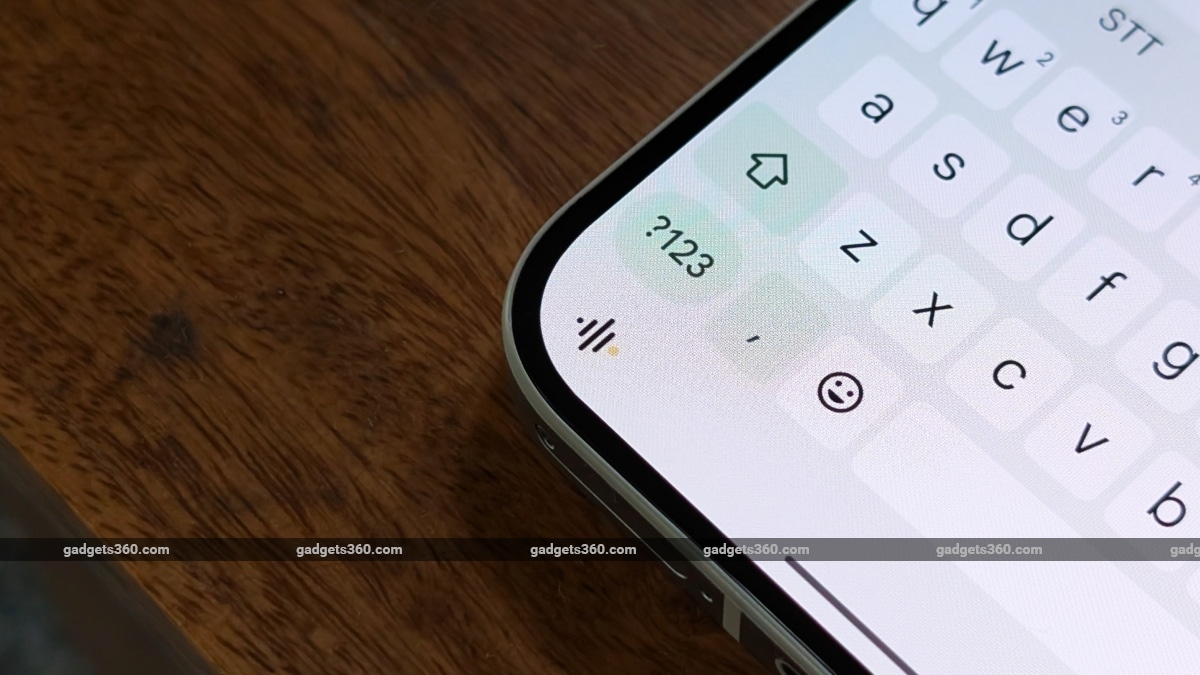
Essential Voice can be accessed in any app as it’s integrated into Google’s GBoard virtual keyboard on Nothing devices
Now, Samsung’s virtual keyboard already has Galaxy AI built in. Once you have spoken out your thoughts, you can use various tools on the keyboard to rephrase, make grammatical corrections and even translate the final output by using the various tools on the keyboard.
Essential Voice uses just your voice and the power of AI to fill in these gaps, reducing the need to tweak things further, while retaining the meaning and context of what you have spoken out into crisp and clean text. This text can be saved to Essential Space or, when spoken using the keyboard, appears directly in the text field of any app you are currently using.
Essential Voice currently supports two additional features beyond the basic AI-based autocorrection. There’s a Translation Agent that can translate spoken voice into text in another language before inserting it into your text field. All you need to do is speak your thoughts and mention the language you need to translate to at the very end. Nothing claims Essential Voice currently supports 100+ languages, including regional variants, which seems quite promising for a new feature. Users can also add personal mappings, such as words, links, templates, and more, adding a personal and customisable touch to this tool.
We had to test it out
With early access to this new feature, I had to test it out.
Essential Voice is mighty good at taking notes, whether you are using it to chat with a friend or even if you are speaking out ideas to a third-party notes app. It accurately transcribes your speech-to-text requests and crafts a clean, clutter-free note or text. Accuracy is impressive, and as expected, it will remove any stutters and even correct any additional words that you may have spoken by mistake before you said the right ones.
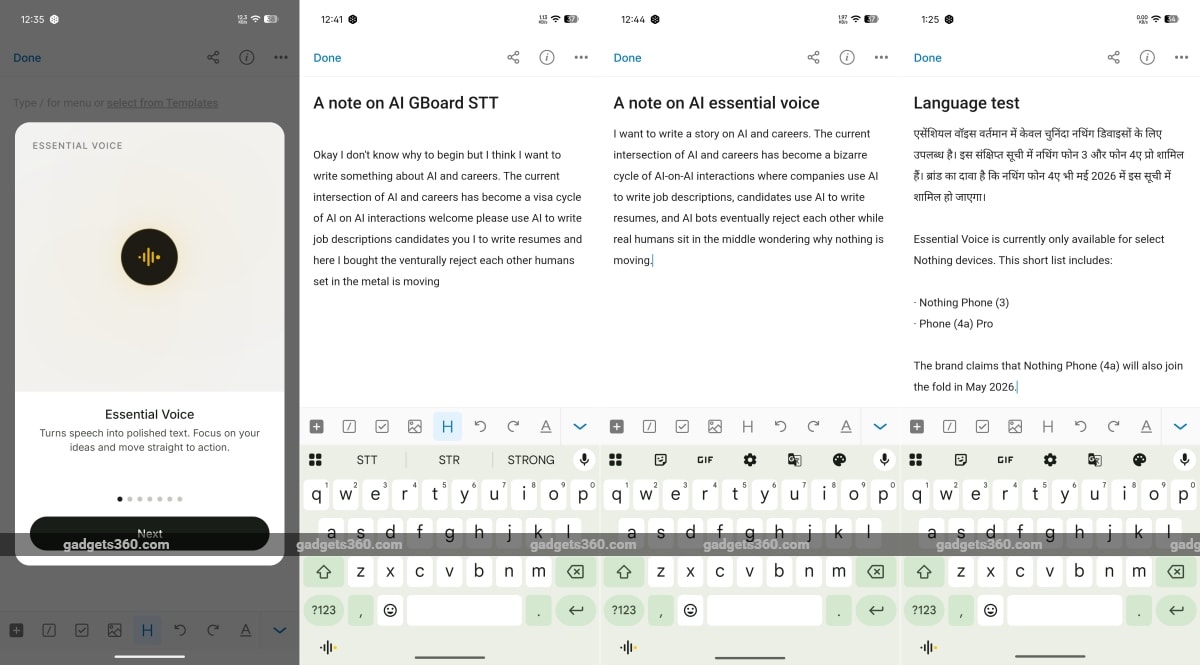
Essential Voice does a fine job with accuracy and context
I also tried out the language translation feature, and it worked beautifully, accurately translating my voice note from English to Hindi. In fact, when I read out the note in English, it even added bullet points where necessary, which is something I did not expect it to pull off. What Essential Voice cannot do, like Apple’s or Google’s keyboard-integrated Writing Tools, is rephrase the same text. However, neither Apple nor Google can pull this off with just spoken voice, and you will need to jam your digits to tweak things.
One weird bit about using the Essential Voice button in GBoard is that the Phone 4a Pro can cancel your request or interrupt your thoughts completely. If the display decides to sleep while you are dictating an idea, a note, or even a message to someone, the Essential Voice keyboard tool simply cancels the request once the display sleeps and the phone locks. That is a bit stupid and annoying. Hopefully, future updates to Essential Voice can keep the display awake while speaking out long voice notes.
How do I set up Essential Voice?
Essential Voice is currently available only on select Nothing devices. This short list includes the Nothing Phone 3 and the Phone 4a Pro. The brand claims that Nothing Phone 4a will also join the fold in May, 2026.
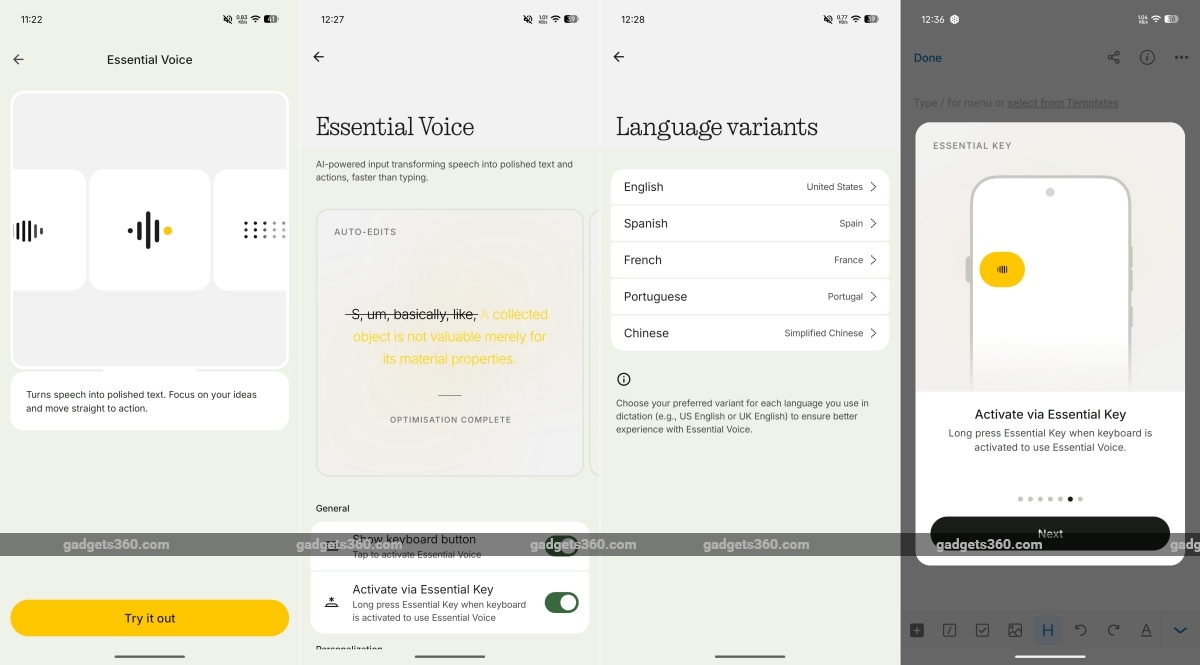
Setting up Essential Voice on your Nothing smartphone is fairly straightforward
Our Nothing Phone 4a Pro review unit received early access to the feature via a software update. For users of the abovementioned supported devices, the new feature will also be enabled via OTA update, which is rolling out as you read this. This update, apart from bringing other updates to the Glyph Interface, includes visual and camera enhancements and new features, and also adds Essential Voice to the Intelligence Toolkit. Tapping on the Essential Voice in the menu simply opens a new section with a yellow button to “try out” the feature. This takes you to the Essential Voice section, where an on-screen demo shows how the feature works. Below are the toggles to make the Essential Voice button appear on the GBoard virtual keyboard and to activate it using the Essential Key button, which saves your voice notes to Essential Space.
For those worried about privacy, Nothing states that Essential Voice will not listen to your conversations in the background, but only when you choose to activate the feature (or when you are too lazy to type). Audio recordings are processed quickly on the server (not on-device), so you will need a stable Wi-Fi or data connection to use them. The text generated on the server is said to be sent back to the device and is not stored on Nothing’s servers. And just in case you were wondering, Essential Voice uses Google’s Gemini 3 Flash for its cloud-based processing.
Essential Voice sure does what it claims in a non-intrusive manner. It puts AI to work in the background, and it is quite useful and powerful, provided you happen to use one of the few supported Nothing smartphones. The new AI tool according to Nothing is meant to replace traditional typing, but the young tech company has bigger plans for it. Nothing plans to introduce context awareness to Essential Voice, which would automatically change the tone depending on the app you are using. So, you can sound more professional when responding to Outlook emails or more casual when chatting on WhatsApp. The brief we received also mentions that Essential Voice is one of the building blocks for Nothing’s future voice-first interface, which we don’t yet know about.